Free
For small teams
€0forever
net
- Up to 3 people
- 1 team
- All core features
maXXteam replaces the vacation spreadsheet: your team submits time-off requests in the app, you approve with one click — and the calendar shows with a traffic light exactly where it gets tight.
Browser dashboard for team leads · team apps coming soon
Why maXXteam
A locked file, broken formulas, “V?” in three colors, and someone still asks by email in the end. With maXXteam, team time-off planning, remaining days and absence planning live in one place.
Traffic-light calendar · try it
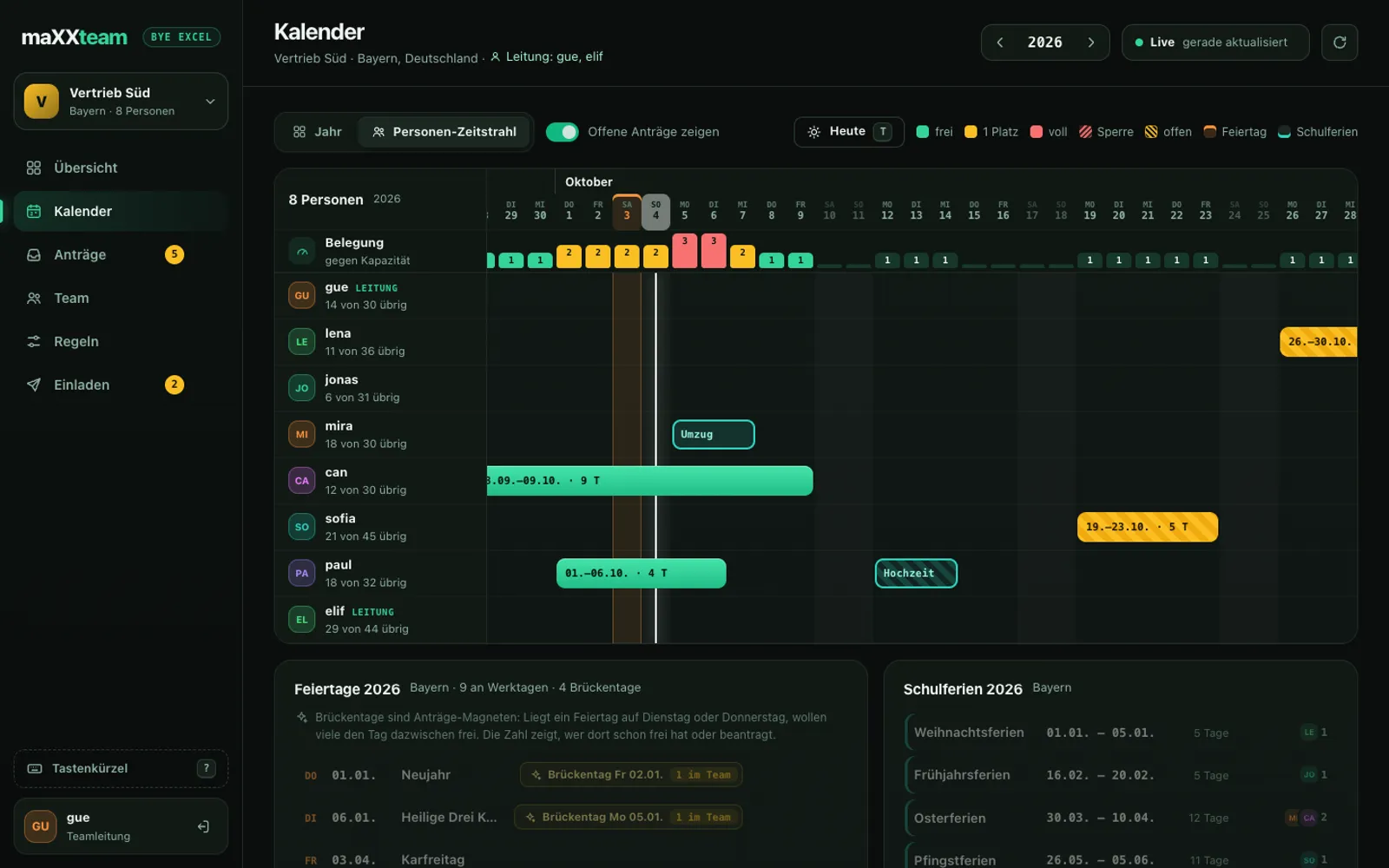
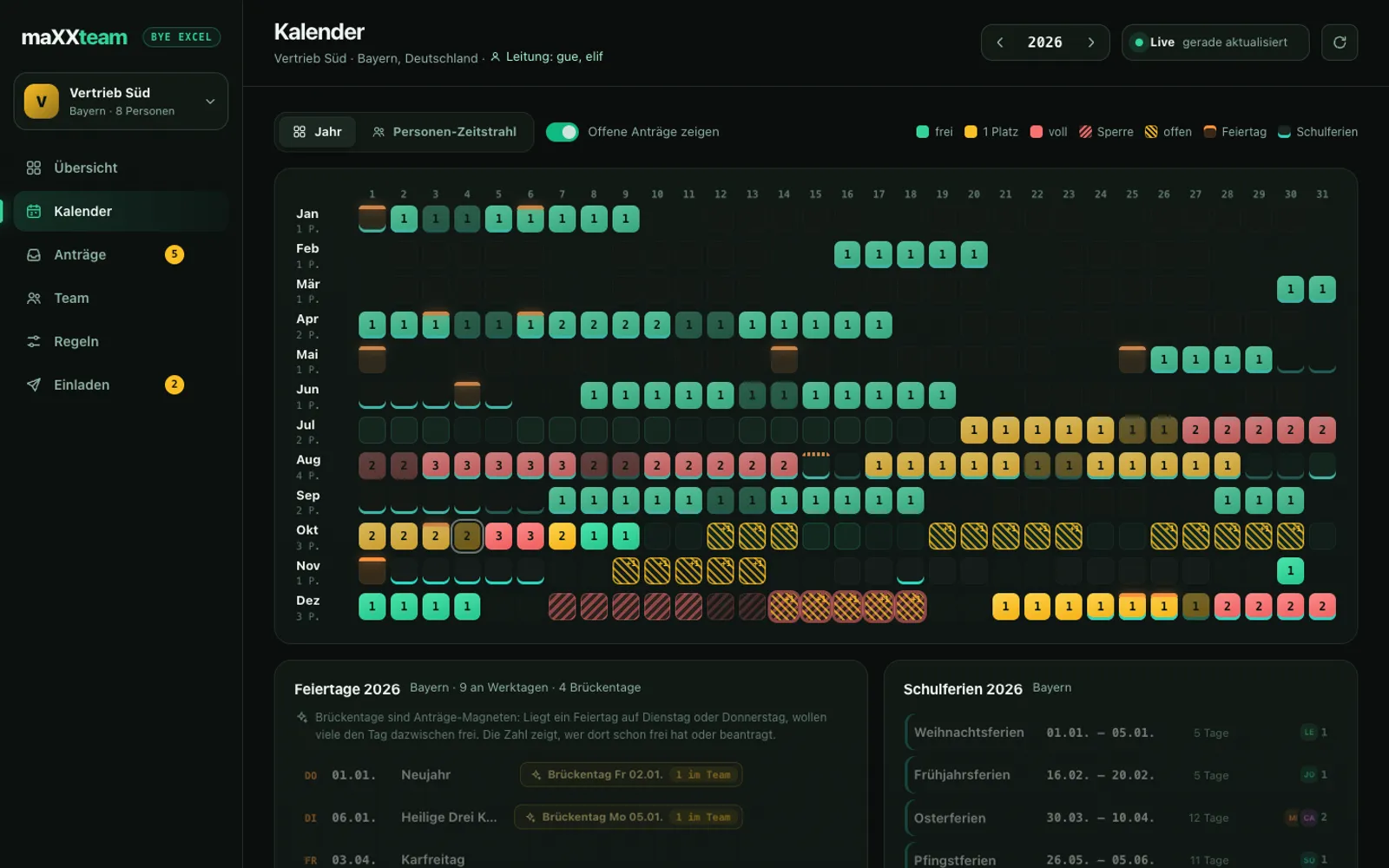
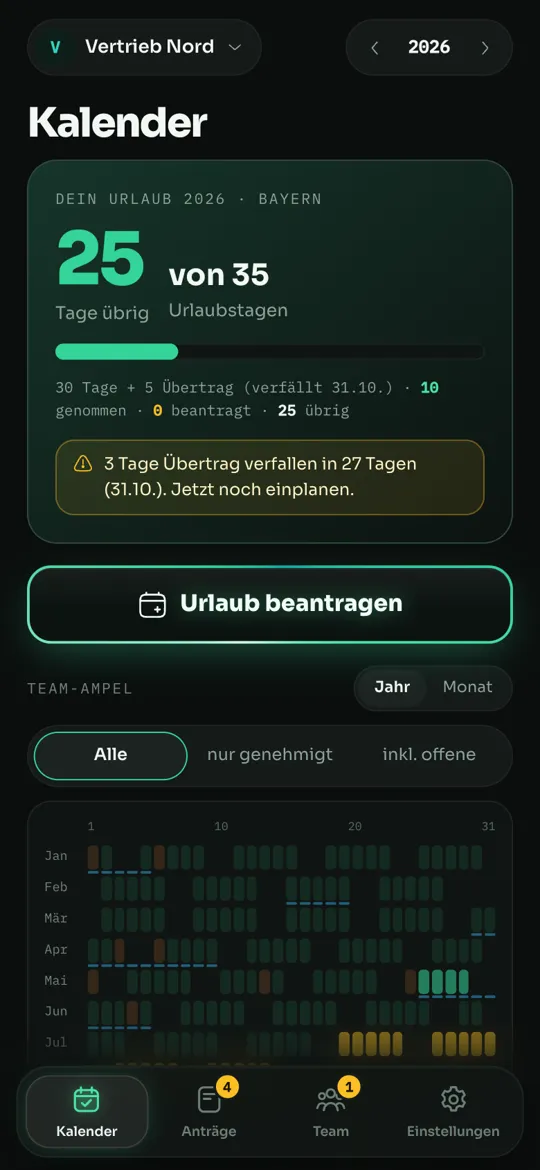
Every box is a day, and the number tells you how many people are away. Measured against your rules: green means plenty of room, yellow means room for one more person, red is full. Drag the slider to 2 and see what “max. 2 away at once” means for your team in summer.
Requests & approval
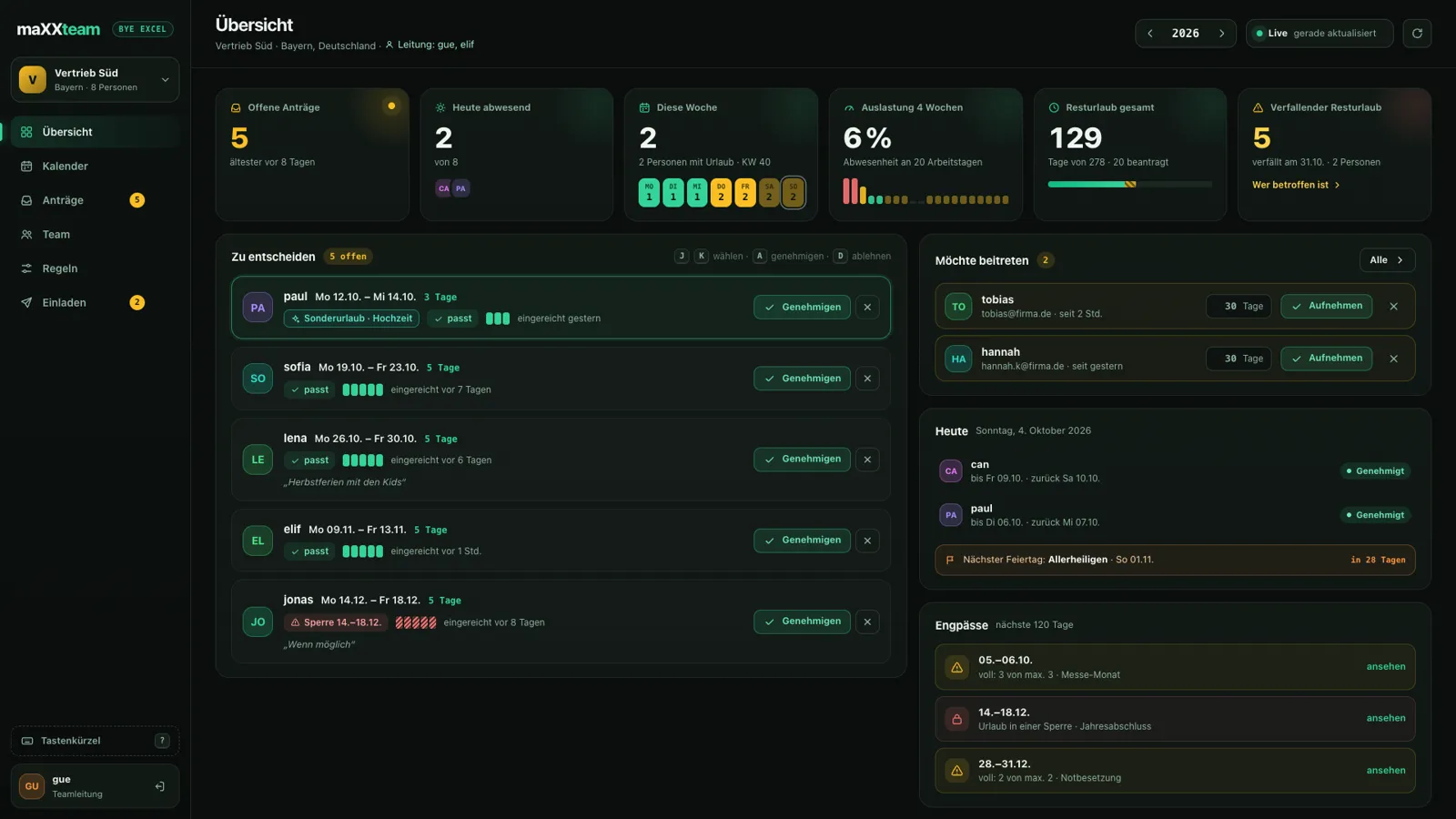
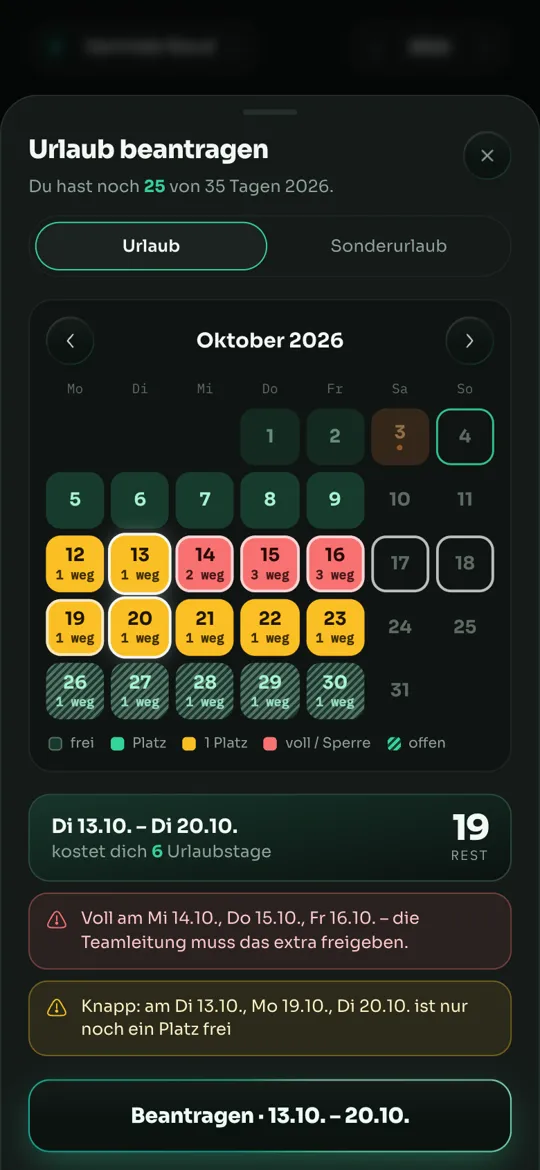
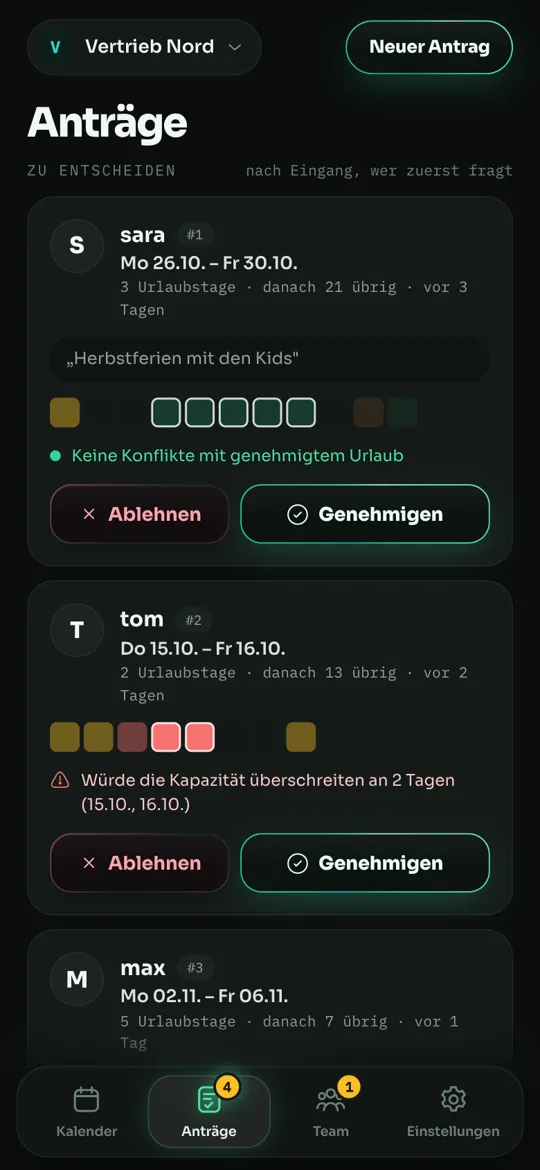
All open requests sit in one list — sorted by urgency, with conflict warnings and a look at how busy exactly those days are. One click approves, and if you like the keyboard: J/K to move, A approves, D declines.
Rules
“In summer, two people away at most”, “Nobody at year-end close”, “Between the years one is enough” — set up once as a rule, maXXteam checks every request against it, day by day. The preview shows right away which days would be affected.
Decline with a plan B
When a request doesn't fit, maXXteam finds the next free periods of the same length itself — no blackout, no capacity problem. One tap adds them to your reply. “Declined” turns into a suggestion.
Free, for example:
QR login for the dashboard
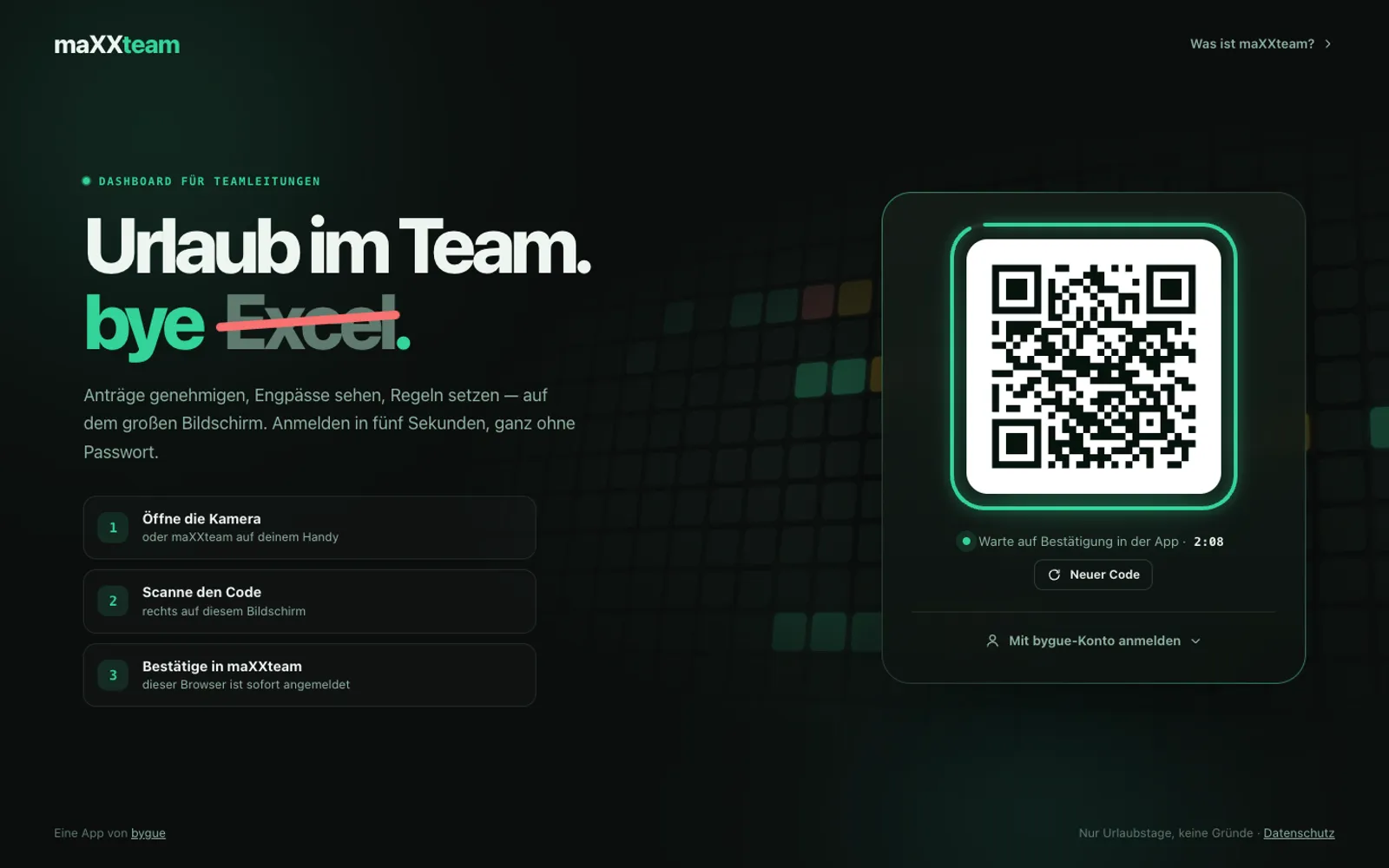
Open the dashboard, scan the code with your phone, confirm in maXXteam — the browser is signed in. No password on a shared PC, no sticky notes on the monitor. If you prefer typing, use your bygue account.
Every German and Austrian state, every Swiss canton — calculated, not typed in by hand.
Rows are people, columns are days: the whole year as bars, with occupancy against your capacity. The view you used to open Excel for.
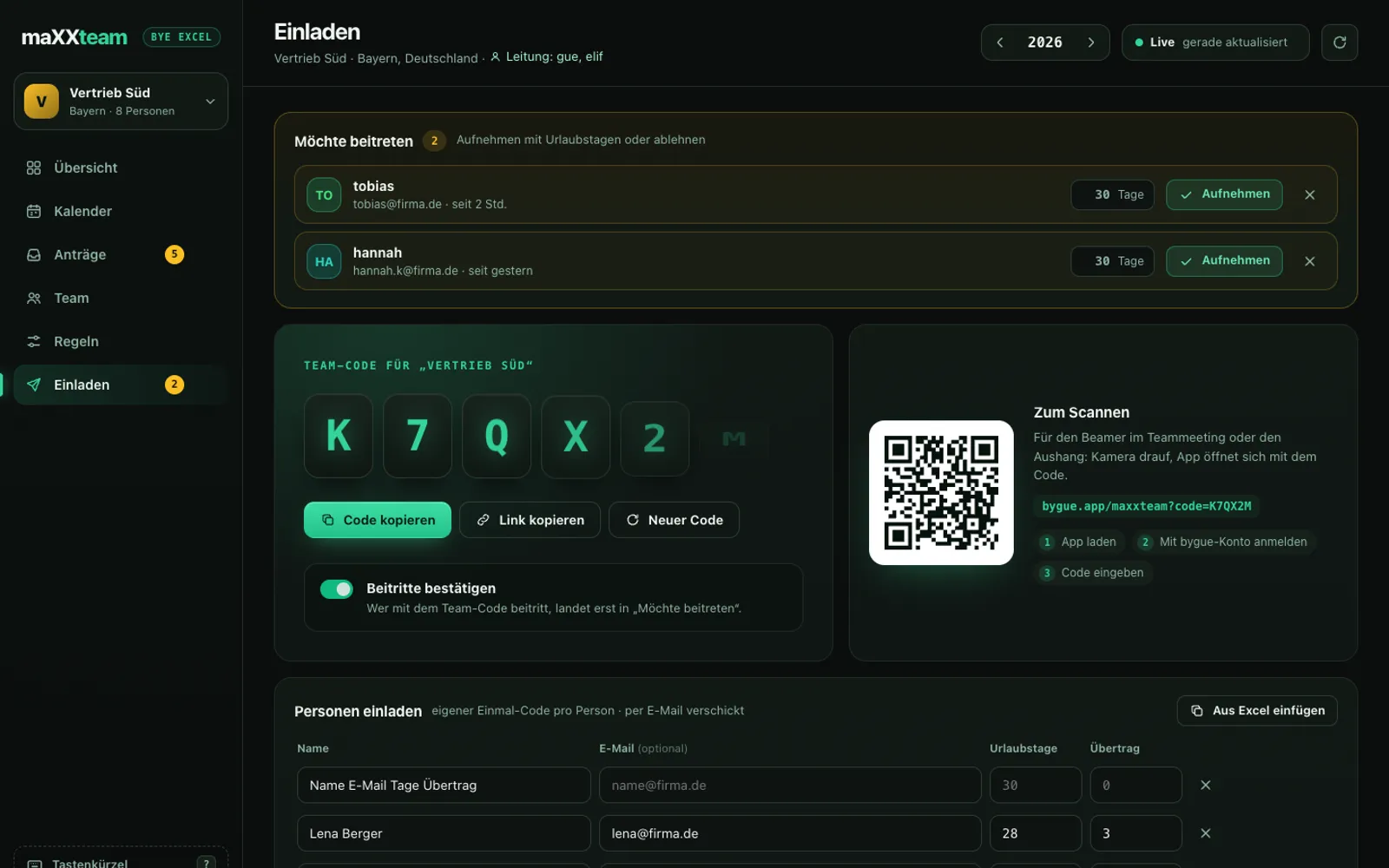
Share the team code, send personal one-time codes by email — or paste the name list straight from Excel.
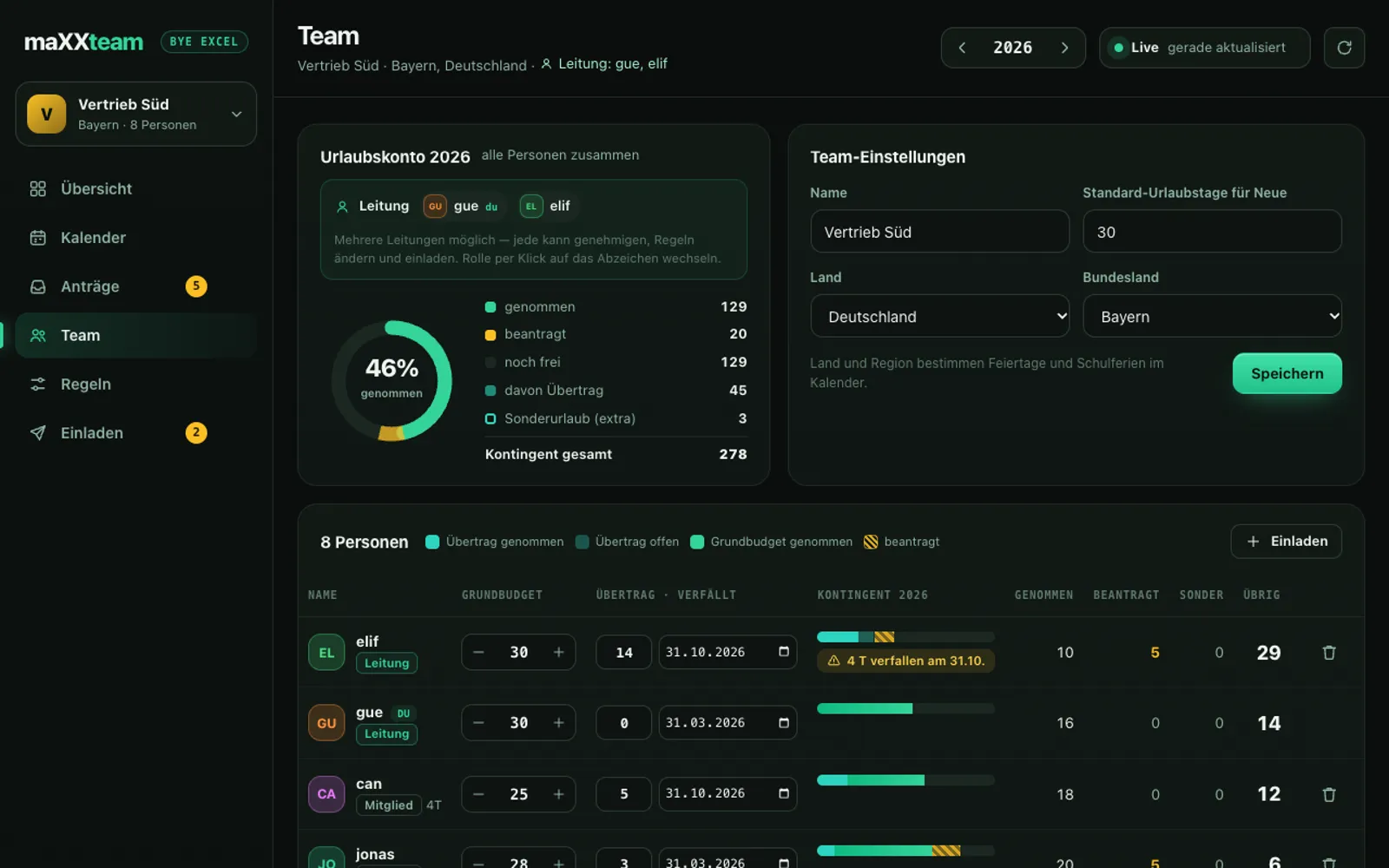
Allowance per person, part-time days, taken, requested, remaining days — always up to date, no formulas.
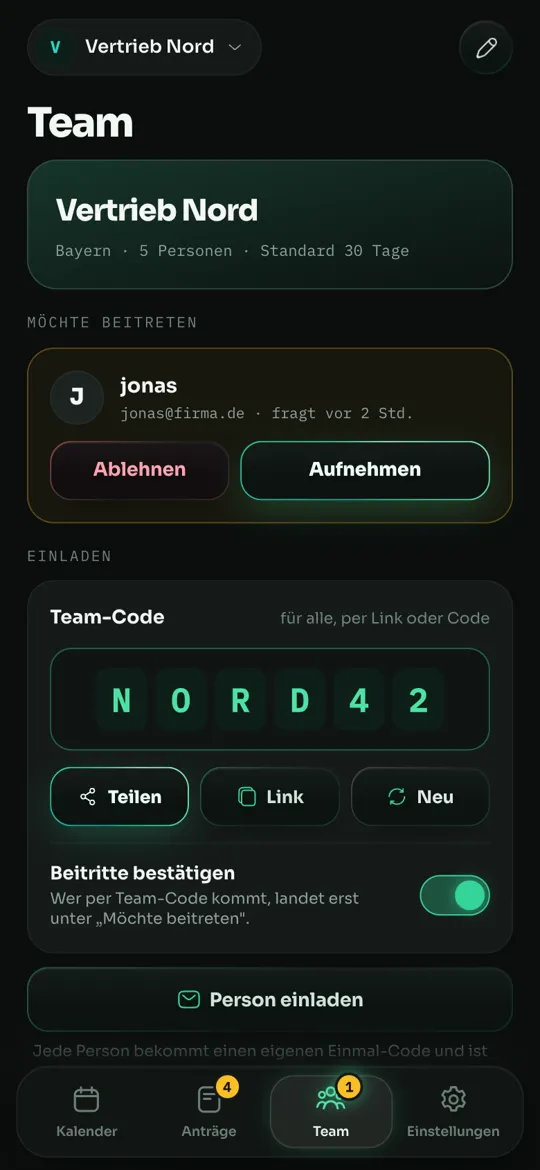
Anyone who arrives with the team code can land in “Wants to join” first, if you like — accept them with their vacation days or decline.
The same public-holiday engine as the bridge-day planner urlaubmaXXing — the sister app for your private time off.
New · maXXplan
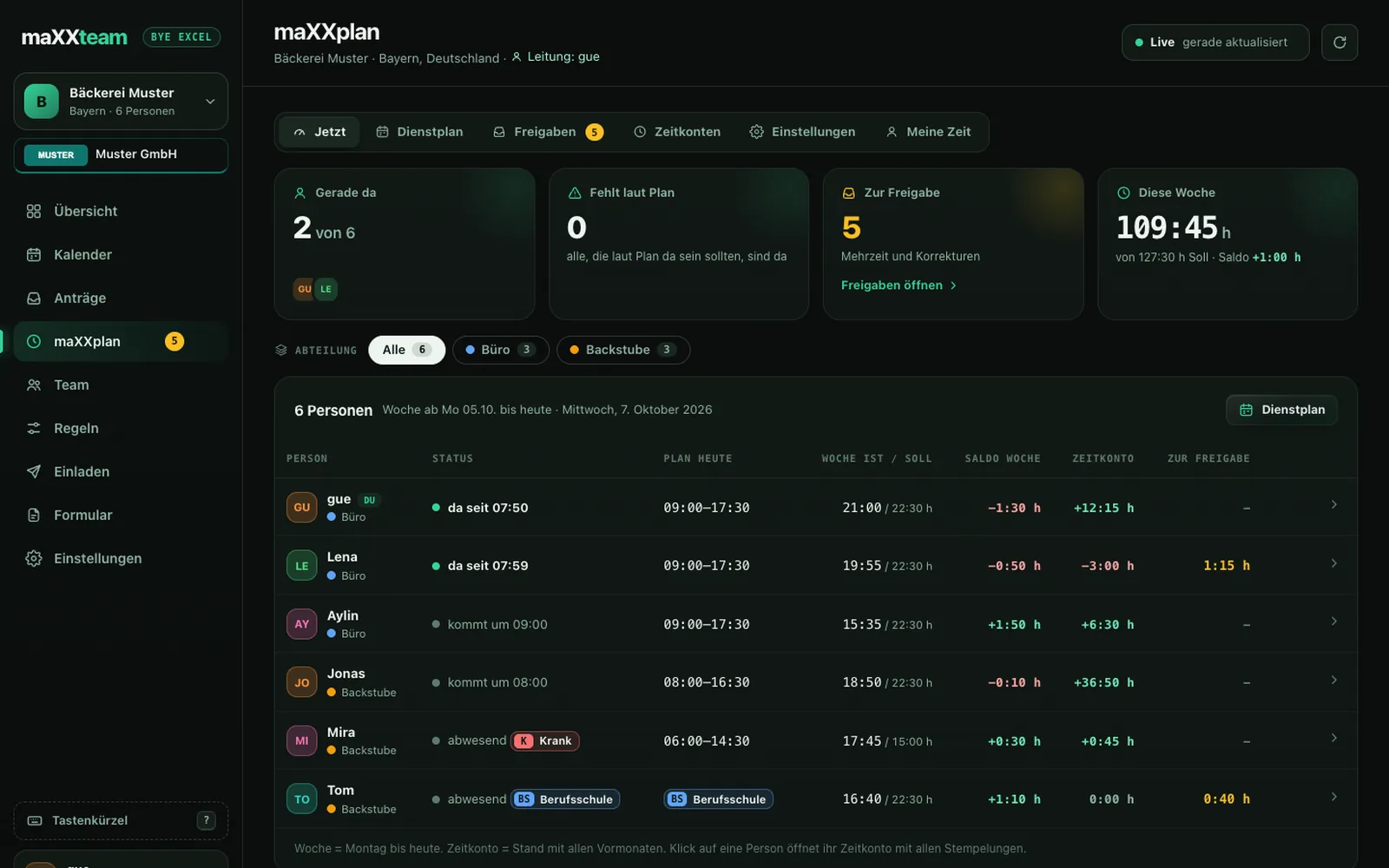
maXXplan turns maXXteam into complete workforce planning: shifts in a monthly plan, clocking in at a tablet or in the app, every balance live. With grace periods, overtime approval and breaks that follow the law in Germany, Austria and Switzerland.
Monthly plan
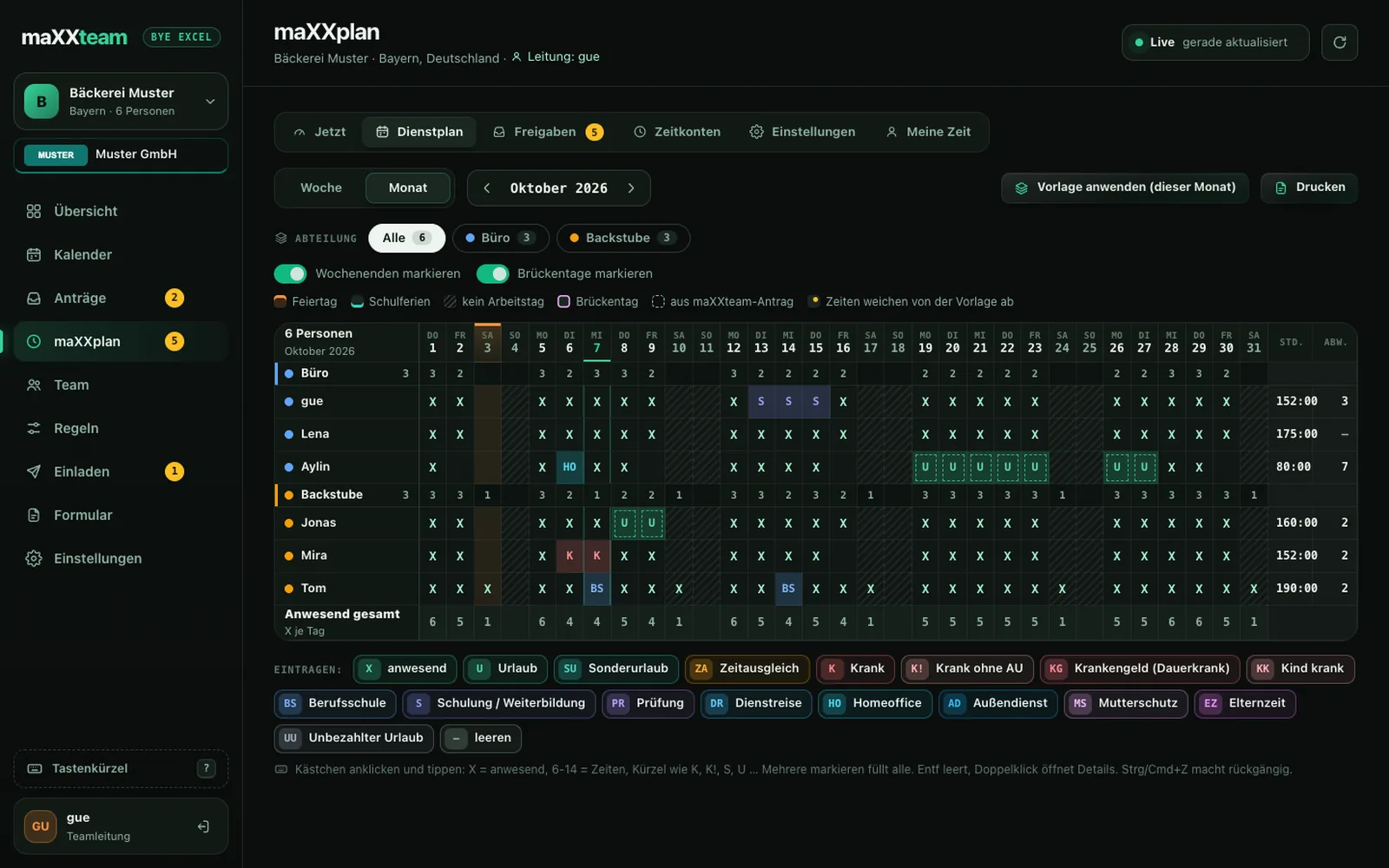
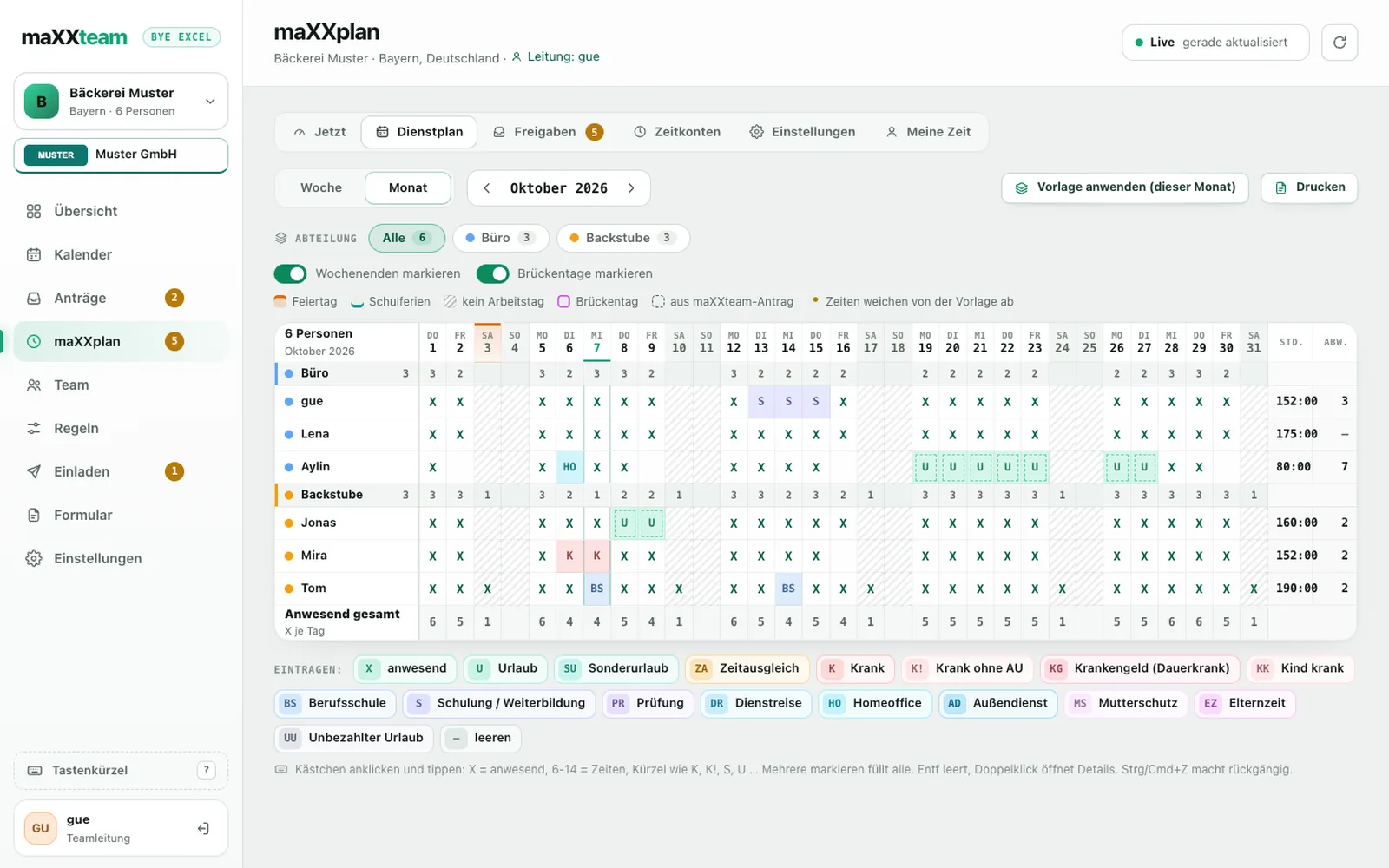
The whole month as boxes, like in the old spreadsheet days, except maXXplan does the math. Click a box, type X, done. Select several and fill them all at once.
Give it a try: click a box (drag with the mouse to select several), then type K, U or X and press Enter. On a phone: tap a box, then pick the code below.
Time clock terminal
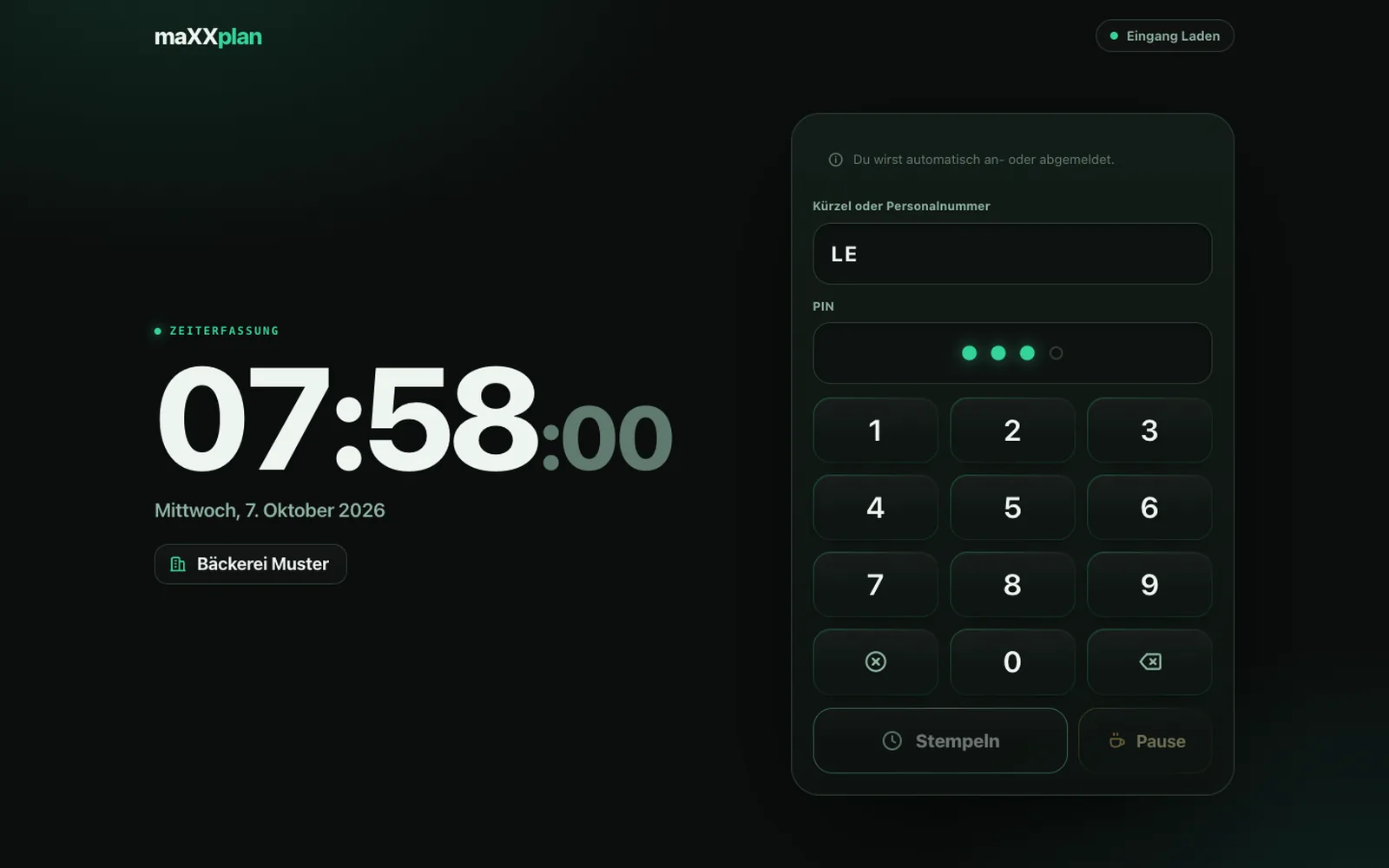
Put a tablet at the entrance, scan the QR code from maXXteam, done. Everyone clocks in with a short code or employee ID and a PIN. No account of their own, no app.
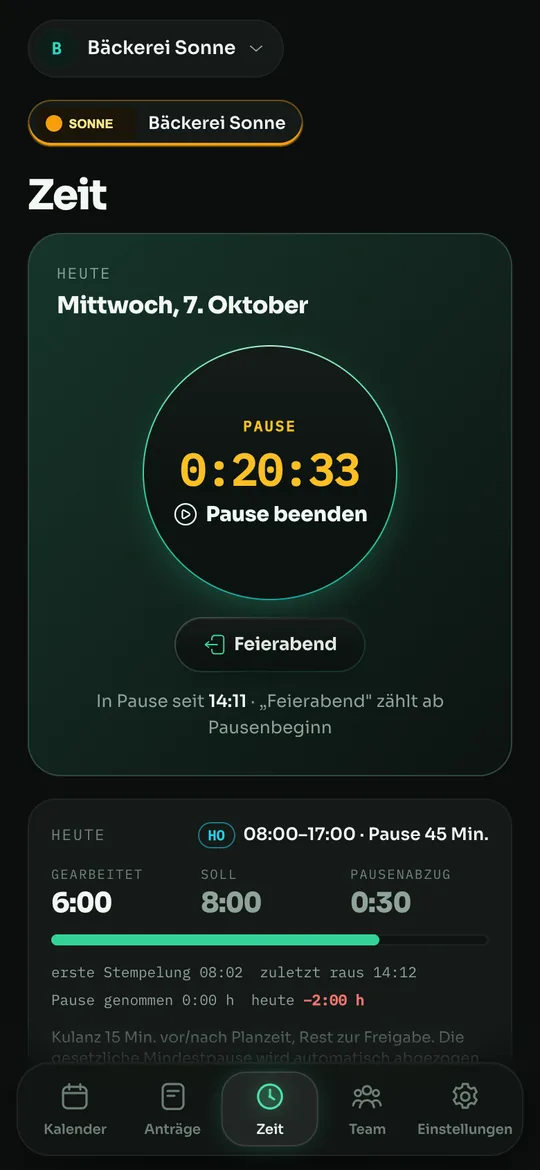
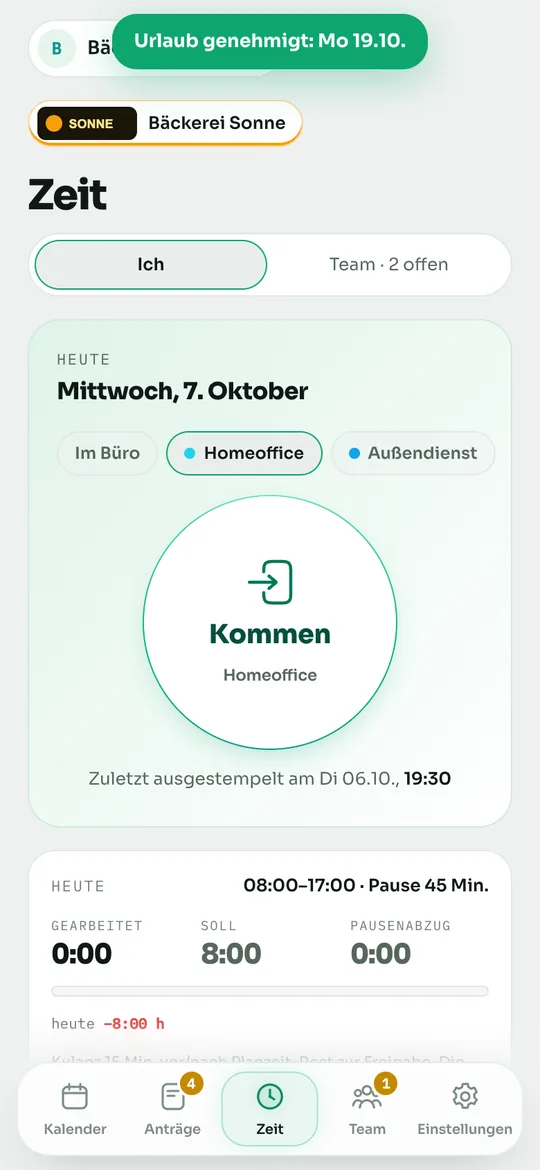
Mobile clock-in
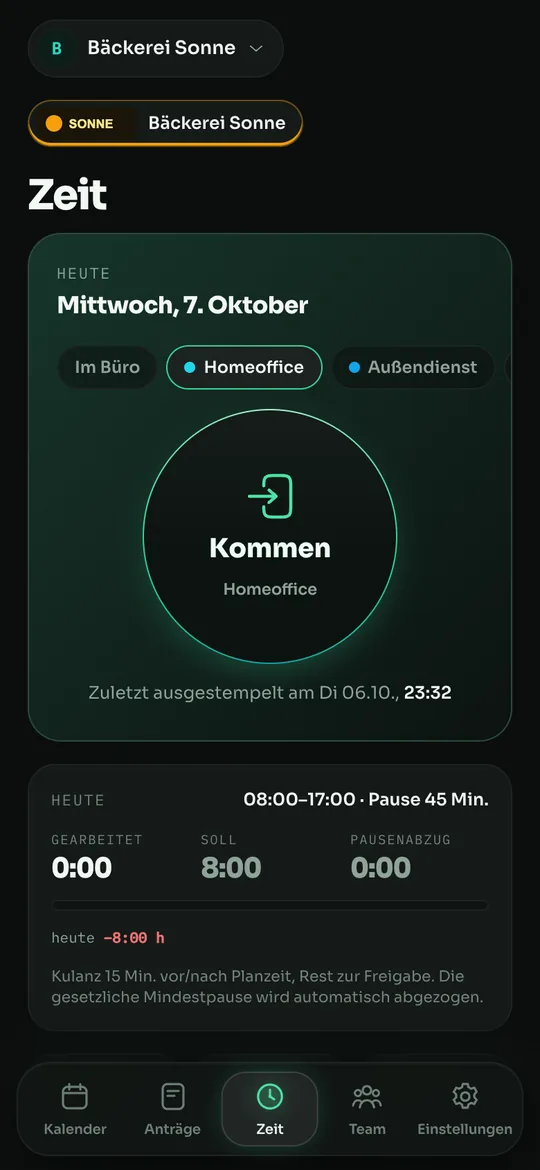
Anyone who's allowed to clocks in with the app: clock in, break, clock out, with a running clock. When clocking in, you can optionally pick the work location, such as home office, field work or business trip.
Open (every minute counts), a grace period of X minutes per side (earlier and later), or none at all. Adjustable for the team, each department and each person. Anyone who simply shifts their start and end has nothing to approve. Real extra hours beyond that reach the lead as extra time (with an explanation of how they came about): approve in full, in part or not at all. If the lead enters times themselves, the extra time counts as approved right away.
8 h
paid out per month, the rest is carried over or expires. Plus carry-over with a cap, negative hours yes or no, daily target hours and a daily maximum. The month-end close calculates it all automatically.
| DE | from 6 h: 30 min · from 9 h: 45 min |
|---|---|
| AT | from 6 h: 30 min |
| CH | from 5.5 h: 15 min · from 7 h: 30 min · from 9 h: 1 h |
Custom rules like “one hour of break from 6 hours” work too. maXXplan never goes below the law.
16 types are ready to go, and you add your own. Each one calculates correctly: credit target hours, fixed hours (vocational school 6 h), neutral (parental leave), time off in lieu or work location. With a pay type for payroll.
The balance runs live while you work. The monthly statement shows carry-over, balance, paid out, expired and the new total, with your company logo and a print view if you like. Employees only see their own hours.
Department leads plan and approve only for their own people. Time entries are never deleted, only voided, and every change goes into the log. Late entries come with a note.
maXXplan is included in Corporate and can be added to every other plan as an add-on.
See pricingReal screens
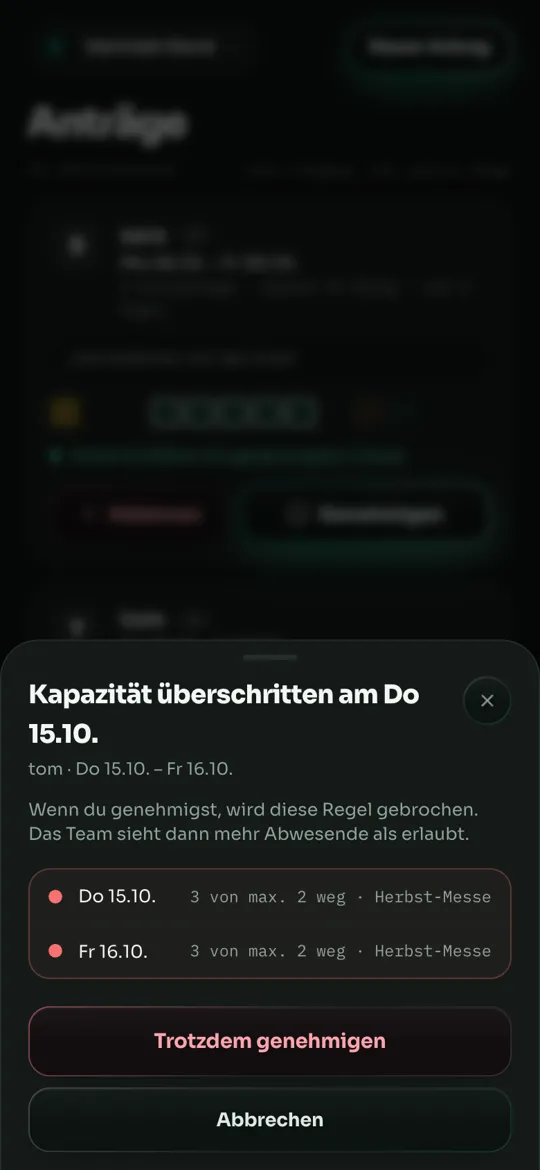
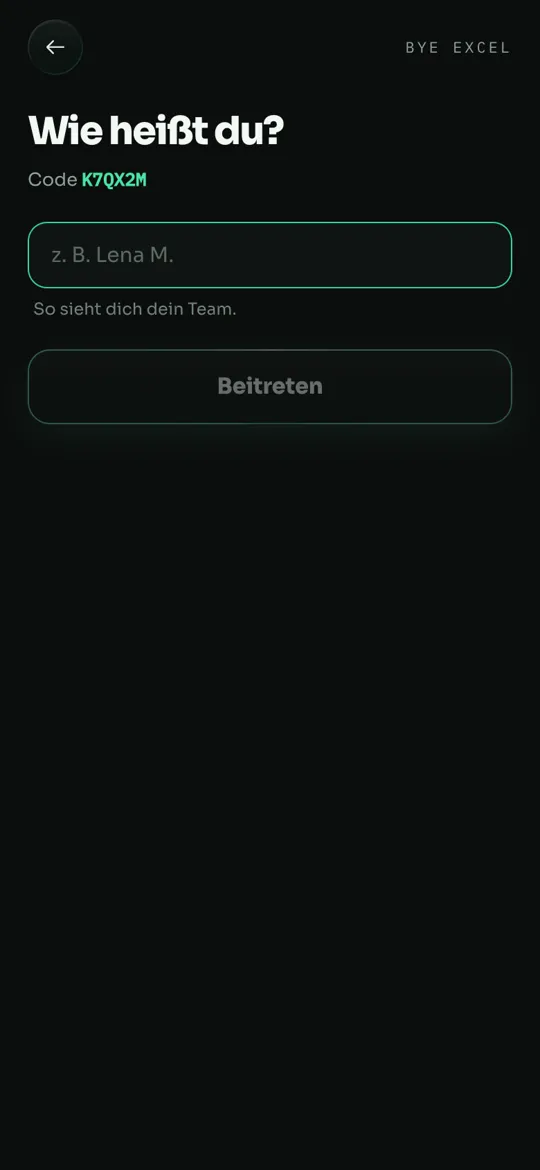
No mockups — this is the real dashboard and the real app, shown here with a sample team.
Privacy
For time-off planning, maXXteam stores when someone is off, never why. For regular time off, maXXteam never asks for a reason. For special leave, only the person themselves and their lead (team lead or the responsible department lead) see the occasion; the rest of the team only sees that someone is away. With maXXplan, working hours and absence types such as “Sick” come along, as time tracking requires. Only the person themselves and their lead see those, never the rest of the team. There is deliberately no field for diagnoses or sick notes, and mobile clock-in records no location. A note on a request is optional and visible only to the person and their lead. Like all data, it is transmitted over HTTPS and stored AES-256-encrypted in a data center in Europe. The server can read it. No ads, no trackers, no selling of data.
New
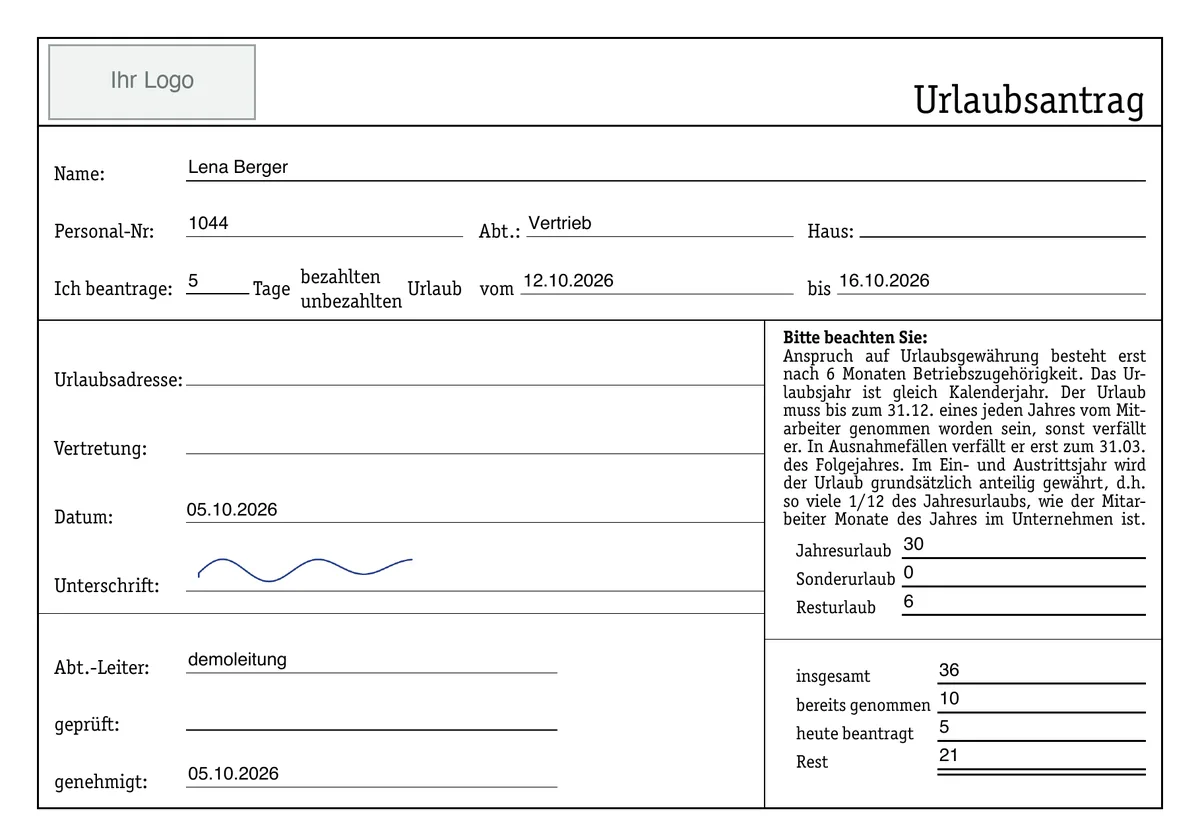
Your team plans digitally, your company gets its familiar form — filled in, no retyping. Plus: school-holiday priority for parents, cancellations only with approval, and your own company logo.
The team lead uploads the company's time-off form once (a PDF with form fields) and maps the fields — maXXteam suggests a mapping. After approval, the person gets their request fully filled in, in the app, signs with a finger, and shares, saves or prints it.
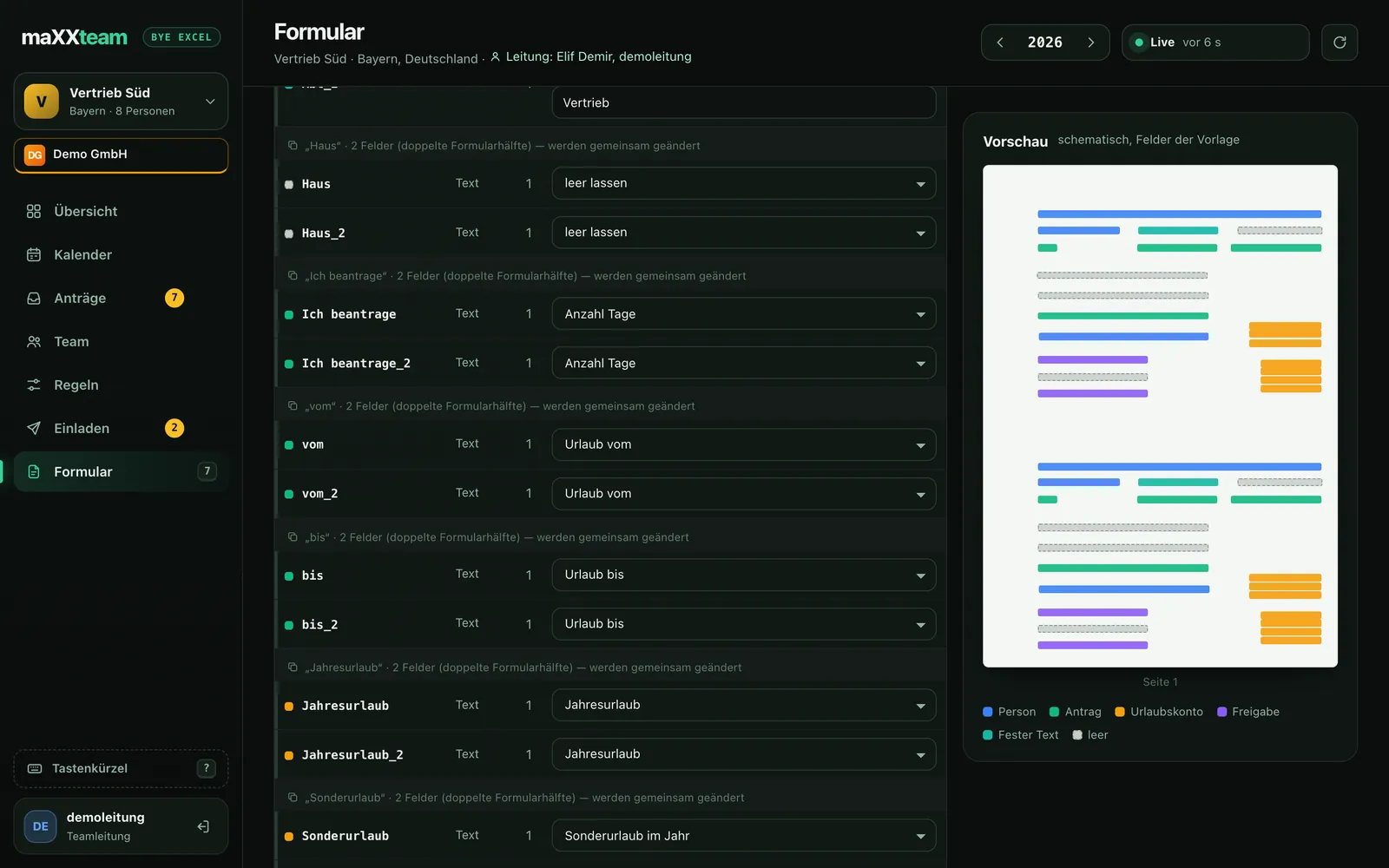
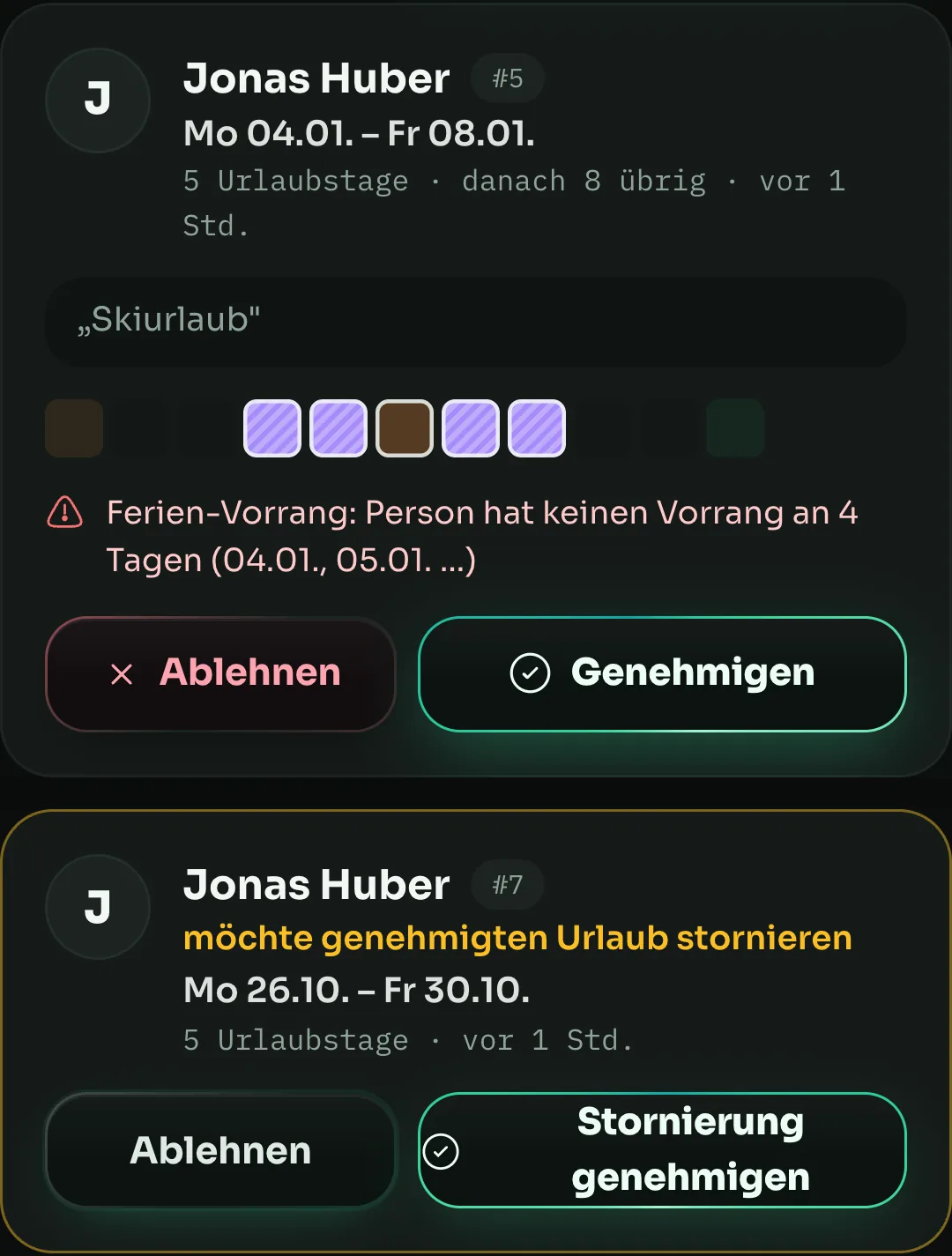
With one click on “Import school holidays”, you create your state's holidays as priority periods and reserve them for selected people first — for example parents of school-age children. Everyone else sees the days as reserved and can only plan once you release the period. Per period, entirely in your hands.
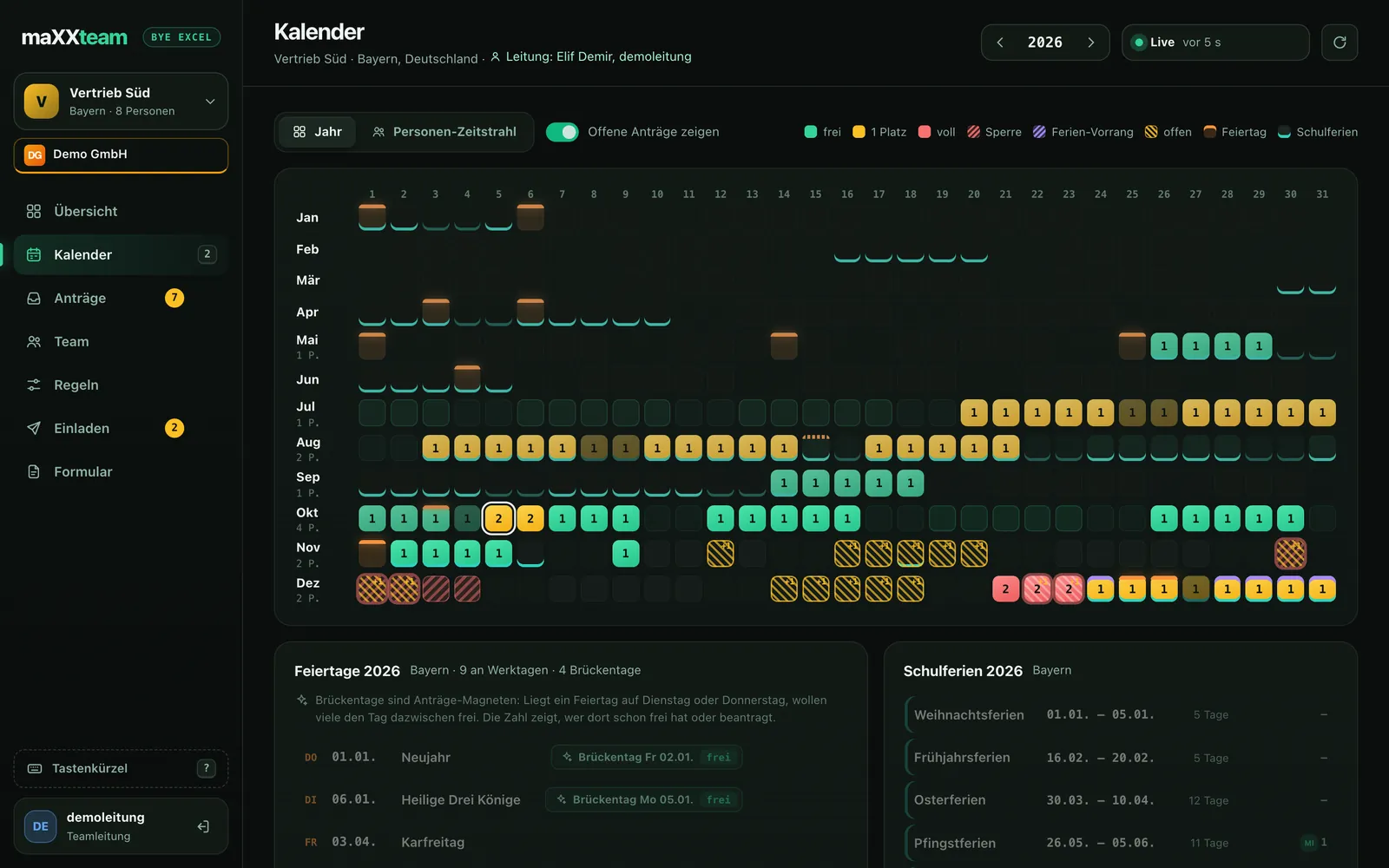
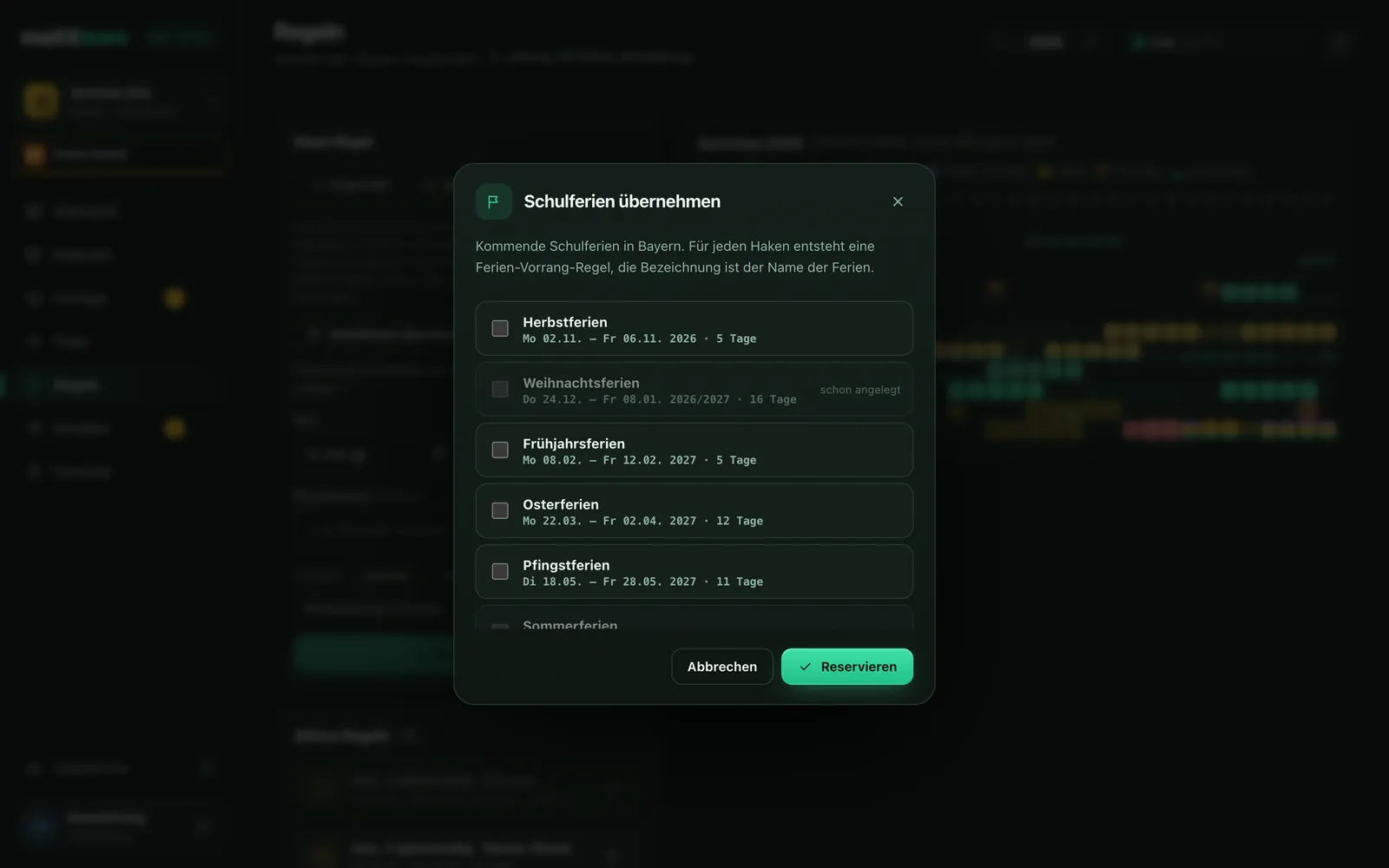
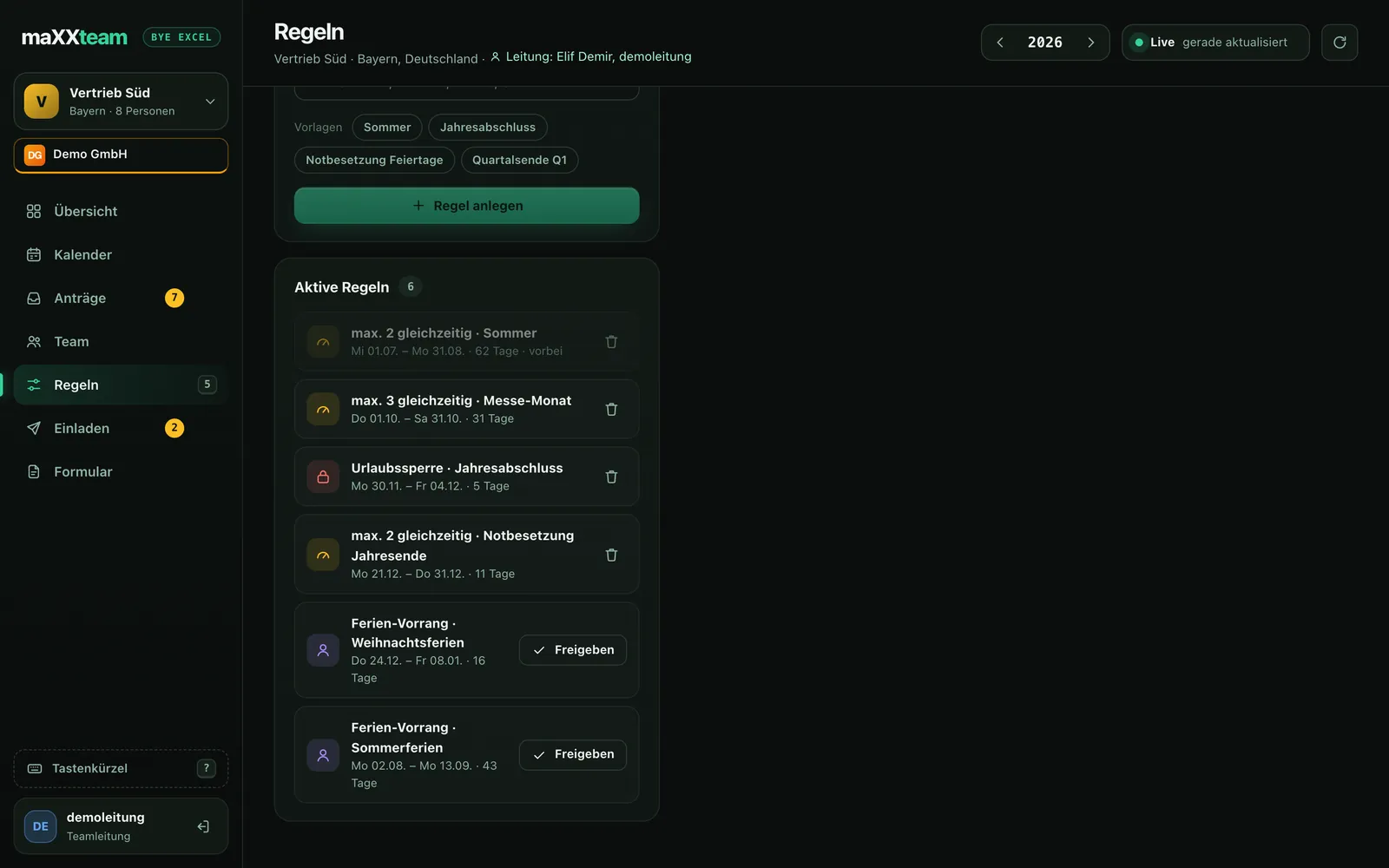
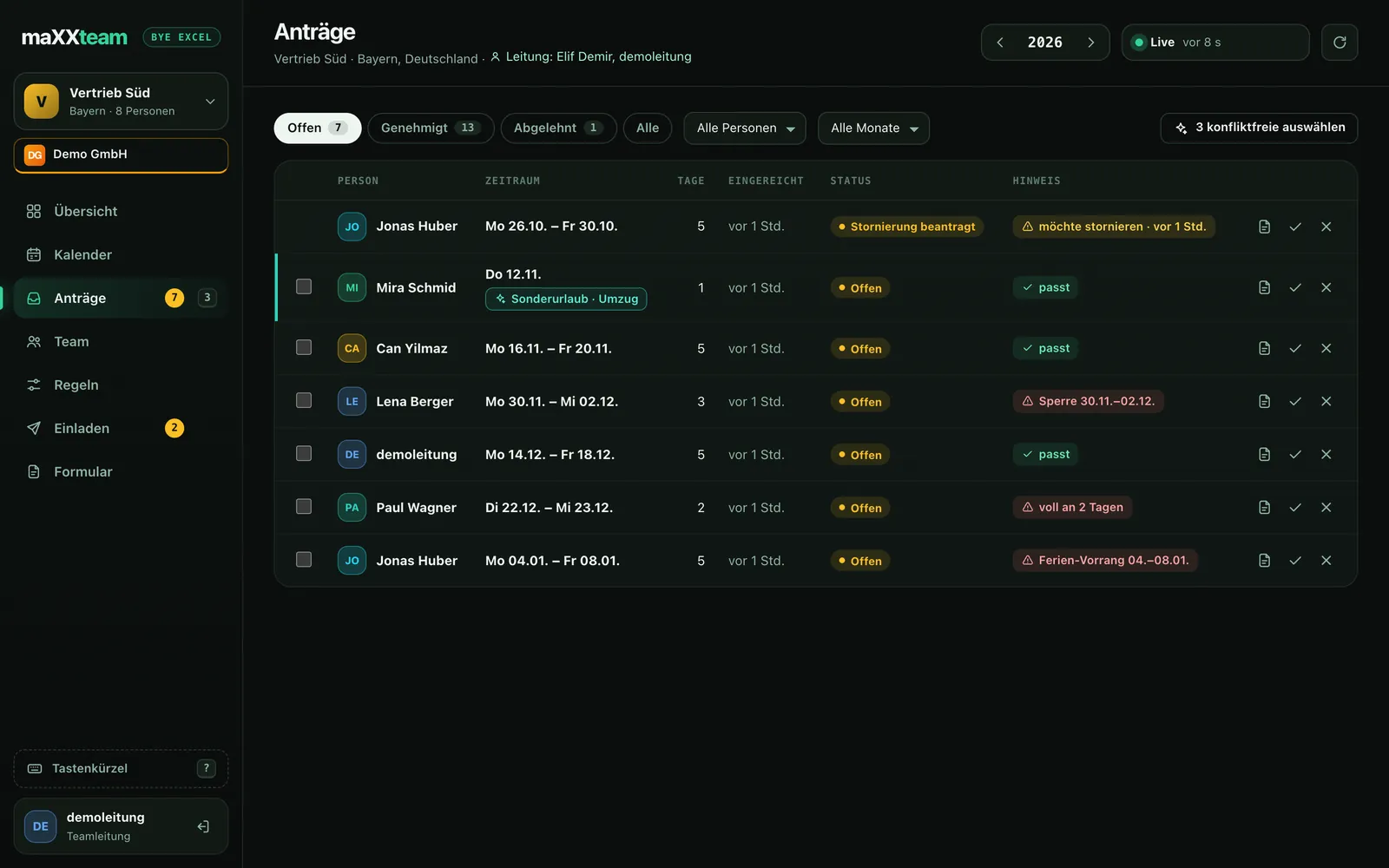
Anyone who no longer needs approved time off doesn't just withdraw it, but requests the cancellation. The lead agrees or declines — until then, the time off stays in the calendar and the capacity stays booked. So there are no surprises shortly before the vacation.
With the Corporate license, your team gets an interface in your company's look: logo, company name and color in the app and dashboard. For teams rolling out maXXteam across the whole company.
You set a deputy per person. If someone requests time off while their deputy is away too, maXXteam shows that as a conflict, in the app and the dashboard. Included from Team 10, available as an add-on on smaller plans.
One employee ID per person — it ends up on the request form. Special leave (moving, wedding, birth, time off in lieu …) doesn't count against the allowance.
From the start date, maXXteam calculates time off pro rata in the year of joining: by the statutory rule for Germany, Austria and Switzerland, or “always pro rata”. In Germany: full vacation if you join by 1 July, otherwise 1/12 per full month. If someone requests time off before the waiting period ends, maXXteam shows that as a conflict.
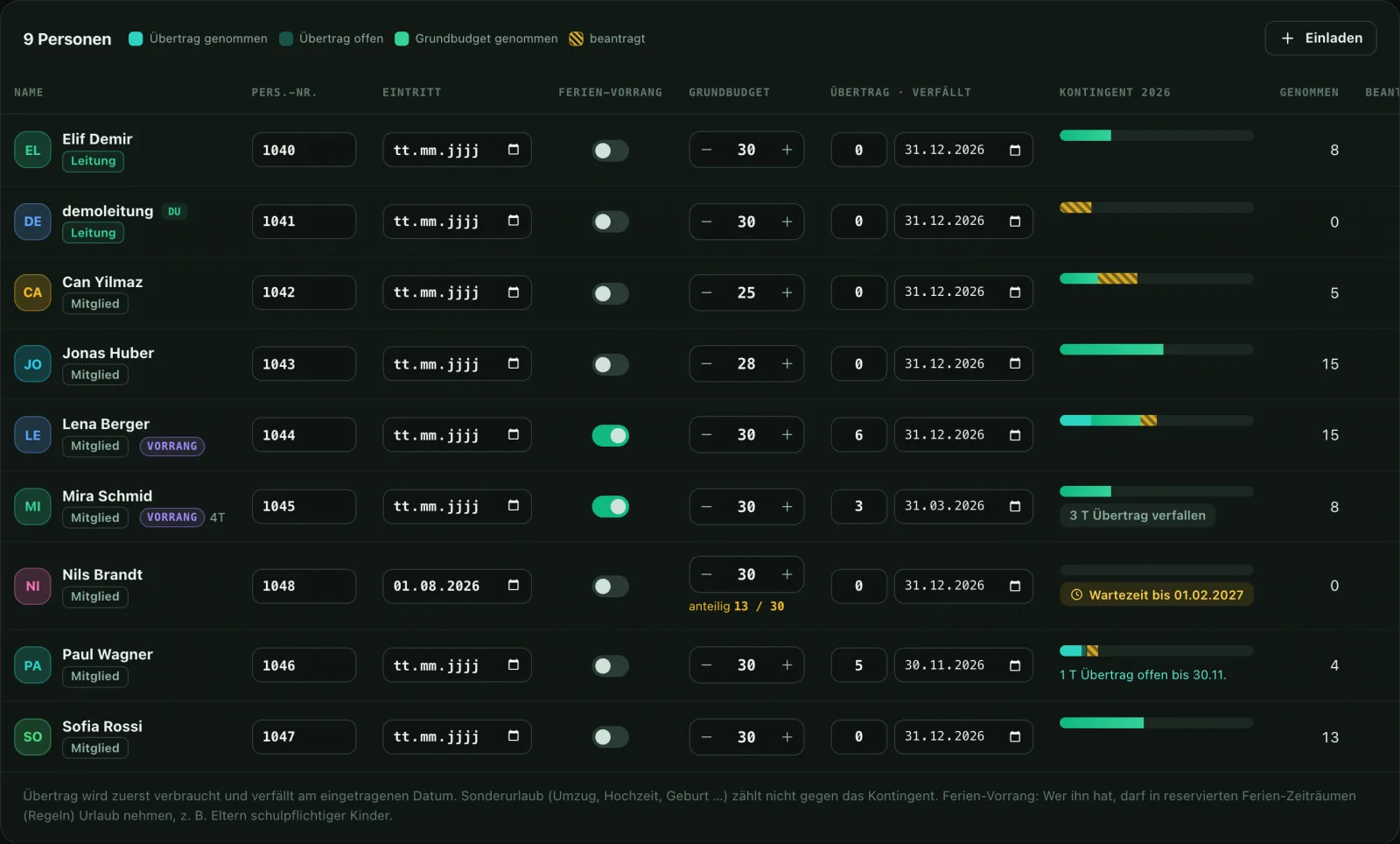
Team table: employee ID, start date with pro-rata time off and waiting period, school-holiday priority and vacation balance — editable right there, per person.
Also new
Bridge days you spot early. Working days that are right for each person. Reminders so time-off planning gets finished in time. Built for everyone who is responsible for a team.
The calendar marks bridge days automatically. If a public holiday falls on a Thursday, the Friday after it is such a day: 1 vacation day, 4 days off in a row. It's calculated from your team's working days and your region's public holidays in Germany, Austria and Switzerland, including state or canton.
Public holiday Bridge day off
Your company decides whether Saturday, for example, is a working day. You set part-time per person, such as Mon–Thu. Time off only counts on real working days: if someone enters Mon–Sun, it only uses up their working days. The server checks that too.
Working day (part-time Mon–Thu) off
Set a planning deadline, for example “Plan 2027 time off by 31 January”. Until then, everyone who still has open days gets a daily reminder. You can also remind individual people about their remaining days and expiring carry-over.
Pricing
The time-off planner for your team grows with you: from a group of three to a company with several teams. The core features come with every plan. Larger plans add extras like deputies or departments, and some of them can also be booked separately.
Everything is free during the beta. The prices below only apply afterwards.
For small teams
€0forever
net
For the small team
€7per month
net, plus VAT
For growing teams
€14per month
net, plus VAT
For several teams
€29per month
net, plus VAT
| Feature | FreeUp to 3 people | Team 5Up to 5 people | Team 10Up to 10 people | Team 25Up to 25 people | Corporateeverything, individually configurable |
|---|---|---|---|---|---|
| Always included | |||||
| Calendar | |||||
| Requests & approval | |||||
| Rules & capacity | |||||
| Public holidays & school holidays | |||||
| Bridge-day markers | |||||
| Carry-over | |||||
| App for everyone | |||||
| Extras per plan | |||||
| Special leave | – | ||||
| Time off in lieu | – | ||||
| Web dashboard + sign-in on PC | – | ||||
| Deputiesalso bookable separately | – | – | |||
| Multiple team leads | – | – | |||
| Departments + department leadsalso bookable separately | – | – | – | ||
| Company time-off form (PDF)also bookable separately | – | – | – | ||
| Your own logo and colors | – | – | – | – | |
| Push reminders (planning deadline + remaining days)also bookable separately | – | – | – | – | |
| maXXplan: shift schedules + time trackingalso bookable separately | – | – | – | – | |
Extras marked “also bookable separately” can be added to any plan, in the app or on request.
From €39 per month net, plus €0.90 per person and €3 per team. Monthly only, billed by invoice.
–per month, net
–
A rough guide, not a quote. You'll get the binding price from us.
Corporate inquiry
Planning time off for more than one team, need an invoice, or want your own logo in the dashboard? Tell us briefly what you have in mind, and we'll get back to you with a fitting quote.
Your inquiry has arrived, we'll be in touch.
FAQ
maXXteam is free during the beta. After that, there's Free for small teams of up to 3 people, plans for 5, 10, 25 people (€7 per month, €14 per month, €29 per month, two months free when billed yearly) and Corporate for larger organizations with several teams (€39 per month plus €0.90 per person and €3 per team). All prices are net prices.
No. Employees join with just a code and their name, with no email and no password. Whoever creates and leads a team needs a free bygue account, the same one for all bygue apps.
Through the team code (also as a QR code and link), through personal one-time codes by email, or by pasting a list from Excel. If you like, you confirm every join request first.
Yes. Public holidays come per state or canton from the same engine as urlaubmaXXing, and school holidays are stored for Germany, Austria and Switzerland. Vacation days only count on each person's working days.
Your company decides which weekdays are working days, for example whether Saturday counts. For part-time, you set individual working days per person, such as Mon–Thu. Time off only counts on a person's working days: if someone enters a period from Monday to Sunday, it only uses up their working days, and the server checks that too. If you like, only leads can change working days. The conflict check ignores a person's days off, so there are no false capacity warnings on weekends.
Yes, with maXXplan: shift schedules as a monthly plan, clocking in at a tablet terminal or in the app, time accounts and monthly statements. In Germany, Austria and Switzerland, employers generally have to record working time. maXXplan deducts breaks at least as the respective law requires and calculates grace periods, overtime approval and monthly rules the way you set them. maXXplan is included in Corporate and can be added to every other plan as an add-on.
No. A tablet at the entrance is enough as a time clock: short code or employee ID plus PIN, no account and no app. Mobile clock-in, for example for working from home, is enabled by the lead per person. No location is recorded.
Only the person themselves and their lead, meaning the team lead or the responsible department lead. The rest of the team doesn't see absence reasons from maXXplan. There is deliberately no field for diagnoses or sick notes.
Yes — on purpose. maXXteam shows you the conflict and suggests alternatives, but the decision stays with you.
Yes. The team lead uploads the company's time-off form once as a PDF with form fields and maps the fields. After approval, the person gets the request fully filled in, in the app, signs with a finger, and shares, saves or prints it. The lead can also download any request as a PDF from the dashboard, then without a signature.
With school-holiday priority, you reserve school holidays for selected people first, for example parents of school-age children. Everyone else sees the days as reserved and can only plan once you release the period. Special leave always remains possible. Only the lead sees who has priority.
The apps for iPhone and Android are in the works and coming soon. The dashboard for team leads already runs in the browser today.
maXXteam
Create a team, invite people, switch on the traffic light. Done in five minutes — no formulas.